Using HDMI / VGA output on E-series
Boot into the BIOS using the Delete key.
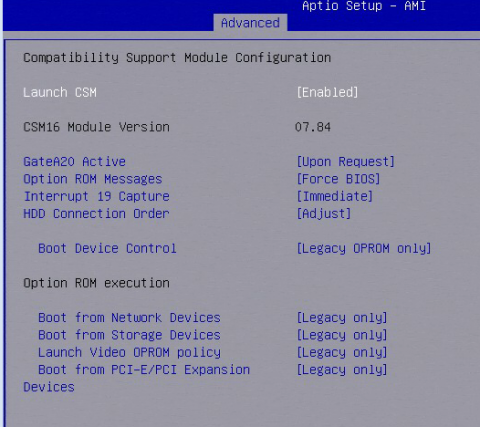
To get VGA to work you will need to set the following setting in BIOS:
Advanced > Enable CSM
Image
Chipset > System Agent > Graphics Configuration
Image
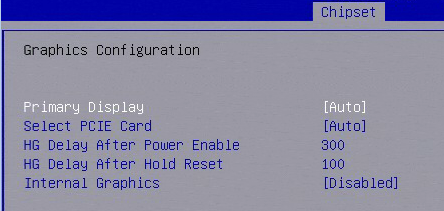
Notes: With CSM enabled and everything within CSM set to legacy mode the unit will revert the setting you had changed back to auto and only give you a display through VGA.
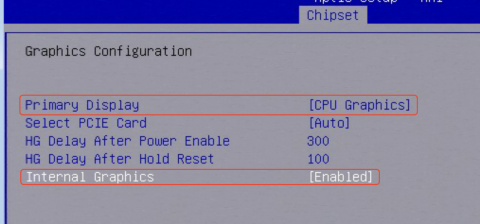
To get HDMI to work you will need to set the following setting in BIOS:
Advanced > Enable CSM > Change OPROM policy to UEFI Only
Image

Chipset > System Agent > graphics Configuration > Change Primary Display - CPU Graphics | Internal Graphics - Enabled
Image