Adding Hardware Dongle to Virtualbox
Image
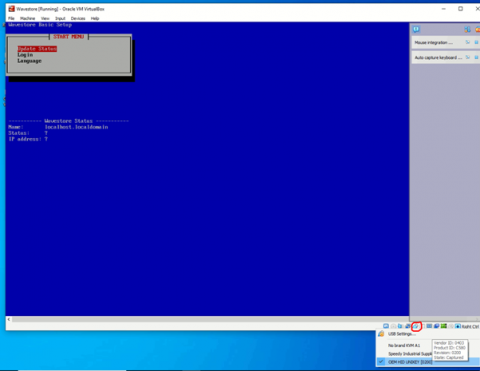
- Attach the Dongle to the Host machine.
With the VM running right click on the USB icon in the bottom right of the window and hover over the OEM HID UNIKEY and make a note of the details shown
Image
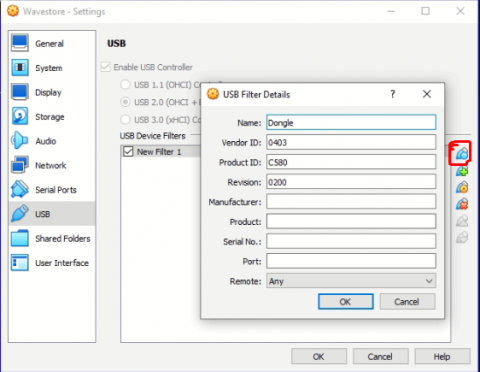
- After making a note of those details click on USB Settings and click the first icon on the right side and enter the details noted down in step 1
- Then power off the VM and turn it back on. Don’t select reset instead power it off completely for this to work. After powering it back on you will see the hardware dongle Machine ID in the license screen.
Lastly apply your license manually and save to use the wavestore server.